LifeLinks
See the connections. Explore new perspectives.
Initial Guide
A concise introduction to the first accessible layer of LifeLinks.
The Vision Behind LifeLinks
The idea at the heart of the platform
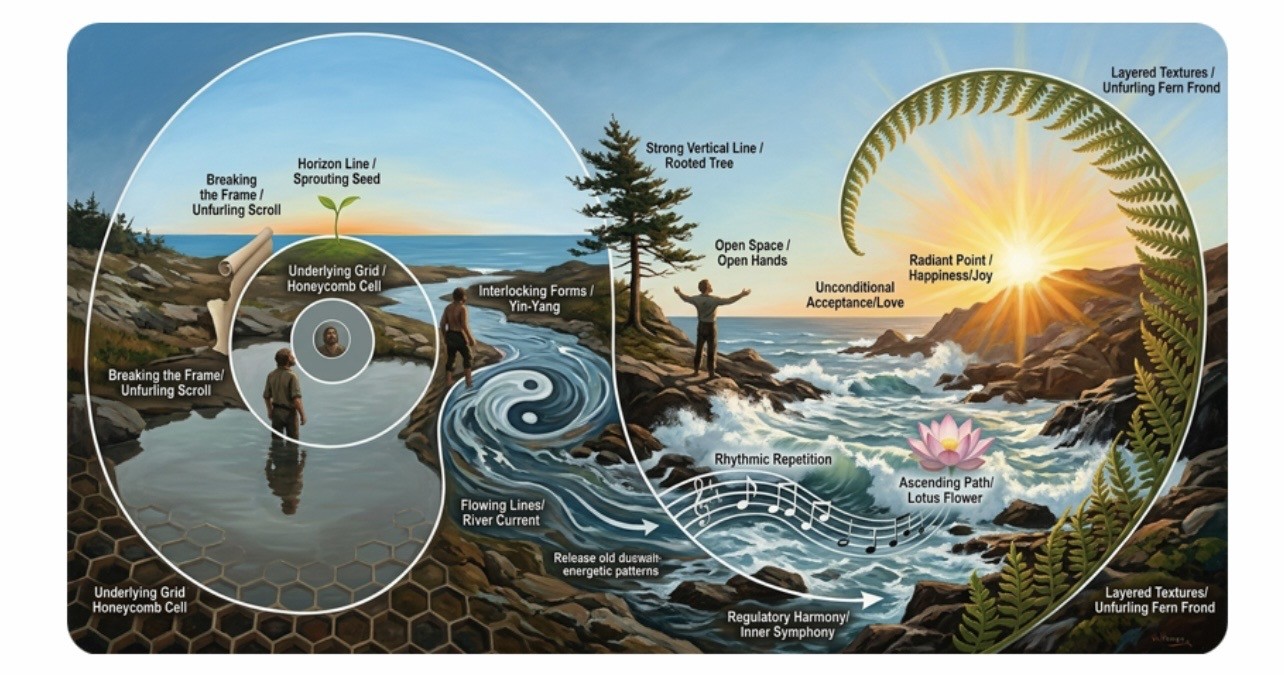
A holographic view of reality
Our reality is holographic: every fragment can contain the whole. A single cell carries the blueprint of the body; the iris maps the organism; a fingerprint, a grain of sand, or a lived event can each reflect the larger field and our position within it. Coincidences are not treated as accidents, but as meaningful connections within that field.
From CoRe to LifeLinks
The earlier CoRe system used a random-number "hologram generator" to surface correlations between apparently unrelated data. Its results could be powerful, but the multidimensional web of connections was difficult for human interpretation to hold without bias. LifeLinks uses a large language model to work with that complexity from multiple perspectives rather than reducing it to one linear narrative.
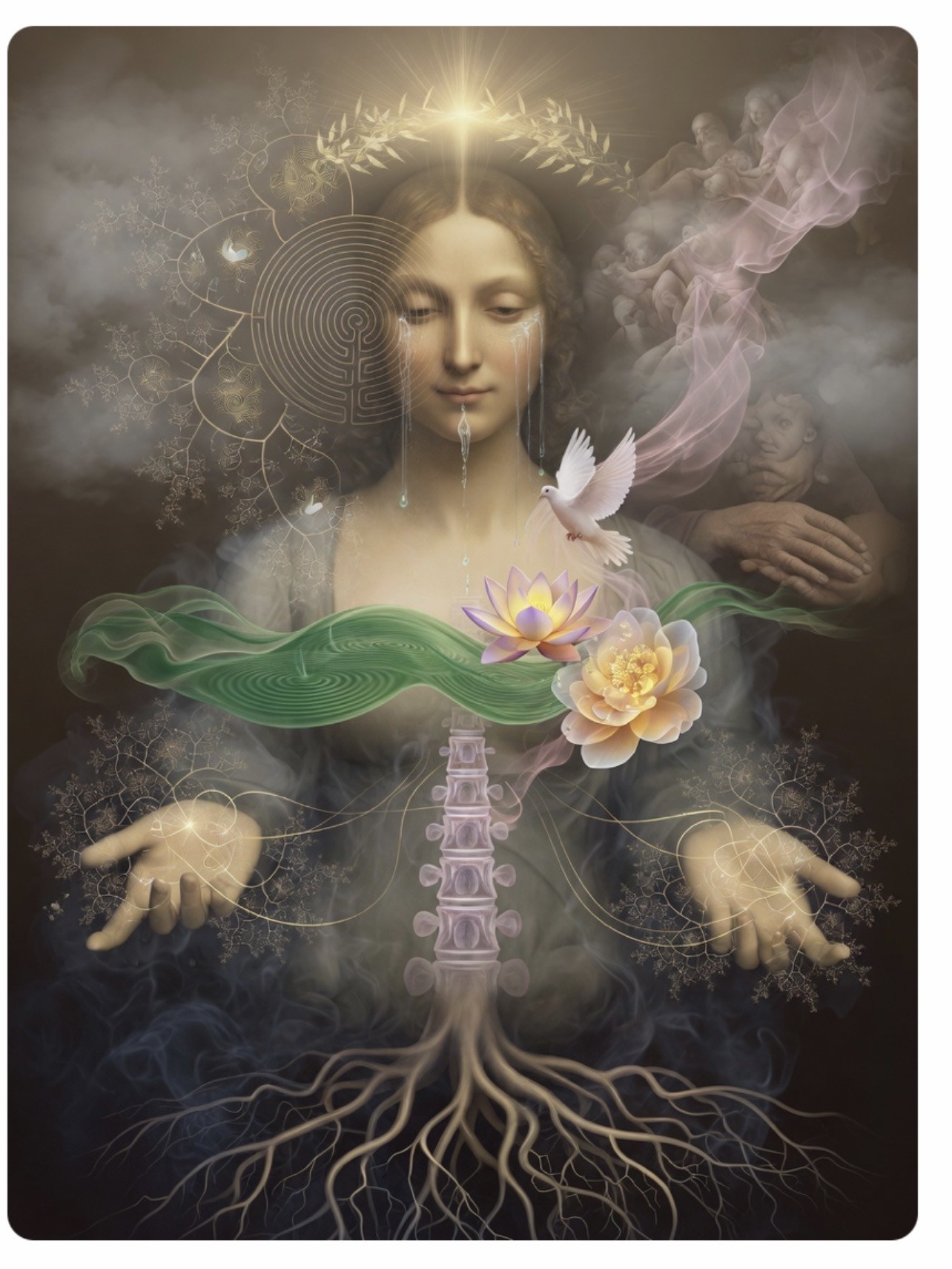
The face as a daily hologram
LifeLinks replaces the random generator with the face — the most personal and continuously available hologram we carry. Each day, a neutral selfie and a desired-expression selfie are compared. Their difference becomes a personal mathematical signature from which existing reports — including CoRe, medical, complementary, or other structured assessments — can be reinterpreted from the individual's unique position rather than a generic statistical average.
The first accessible layer
What is visible today is only the first working layer. Behind it are deeper CoRe simulation, multi-agent architecture, expanded perspective libraries, richer multimodal generation, and tools intended to let the system evolve increasingly personal internal models over time.
Create Your Initial Review
Start with a base review
Every meaningful session begins by creating a base review. Choose a primary Activator, select the perspective group and Activator type, set aims if desired, choose the language, personalize the user name when useful, give the review a clear focus, and provide the source report as PDF or text. Then press Activate.
- First you need to create your INITIAL REVIEW
- Select one or several aims you have or leave it empty
- Specify the language in which the Review shall be presented
- Use any medical report; if PDF is not available use text format
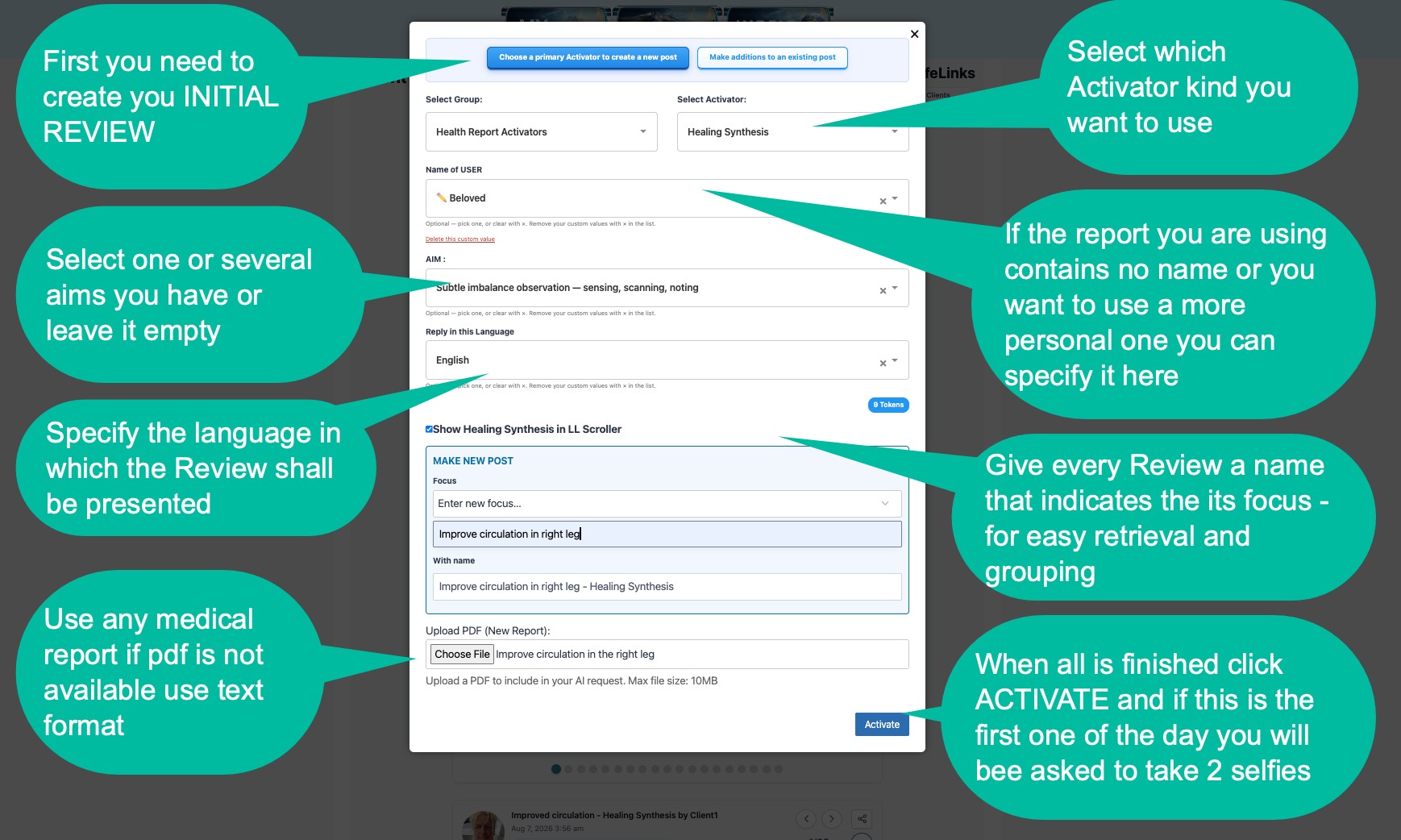
- Select which Activator kind you want to use
- If the report you are using contains no name, or you want a more personal one, you can specify it here
- Give every Review a name that indicates its focus — for easy retrieval and grouping
- When all is finished click ACTIVATE; if this is the first one of the day you will be asked to take 2 selfies
Build, Connect & Enrich
Continue the same LifeLinks post
After the initial review has been generated, Addition Activators can enrich the same post. Use Add features to attach music, graphs, images, or combinations of them. Each addition shows its token cost, and its variables — such as musical style, visual treatment, chart type and language — can be selected individually.
- You can select specific features in these dropdown boxes or define your own
- Make sure you selected the correct post to attach it to
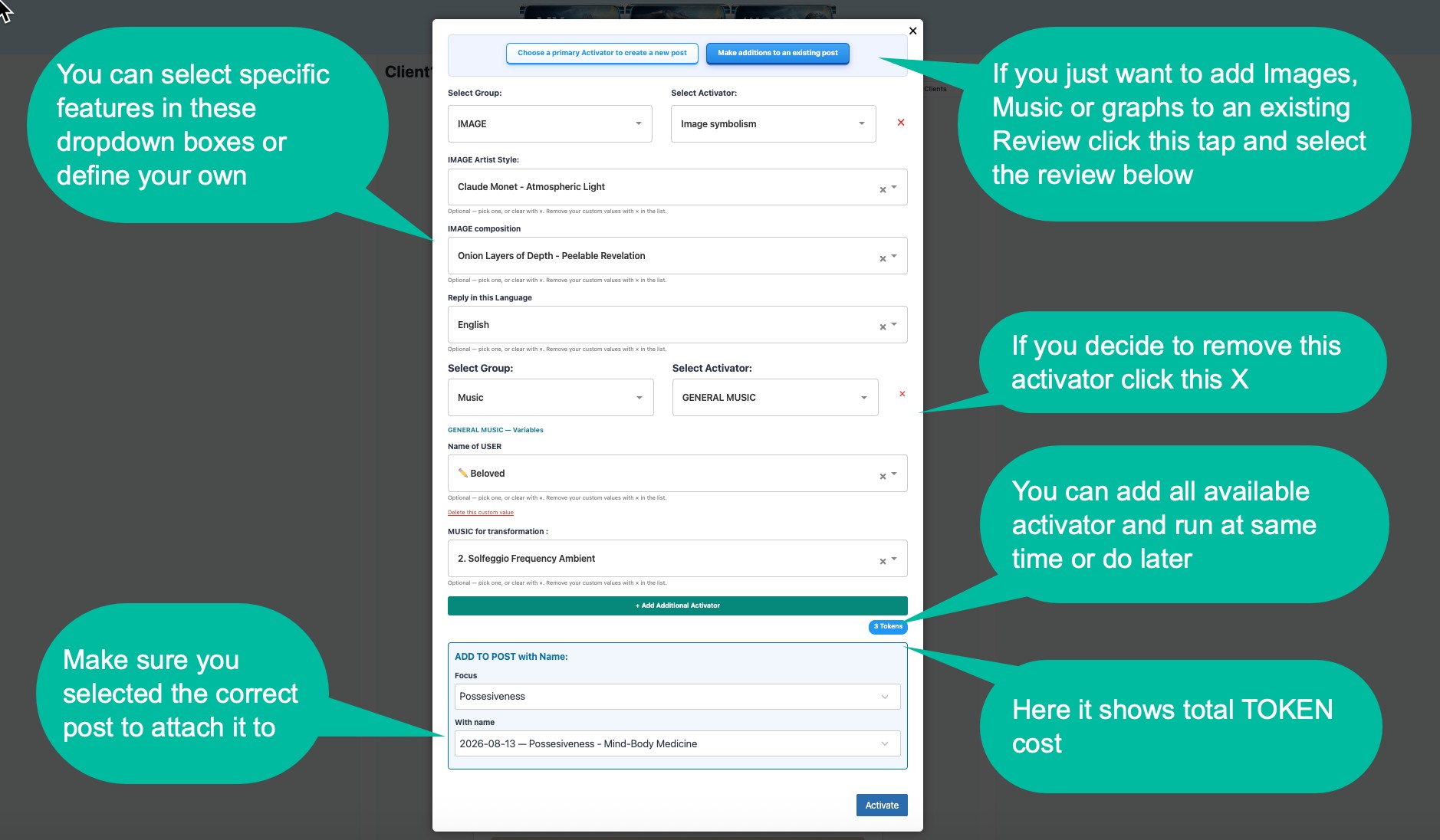
- If you just want to add Images, Music or graphs to an existing Review, click this tab and select the review below
- If you decide to remove this activator click this X
- You can add all available activators and run at the same time or do later
- Here it shows total TOKEN cost
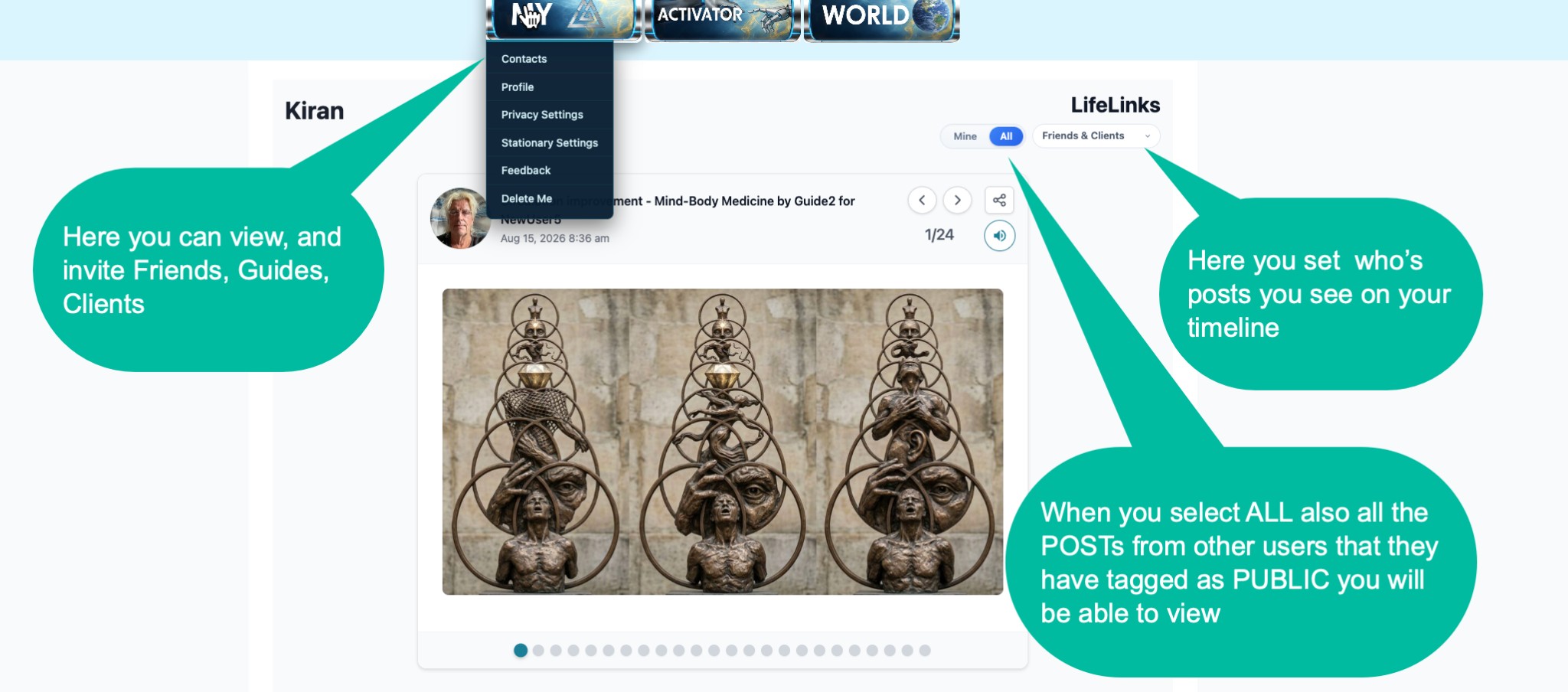
- Here you can view and invite Friends, Guides, Clients
- Here you set whose posts you like on your timeline
- When you select ALL, also all the posts from other users that they have tagged as PUBLIC you will be able to view
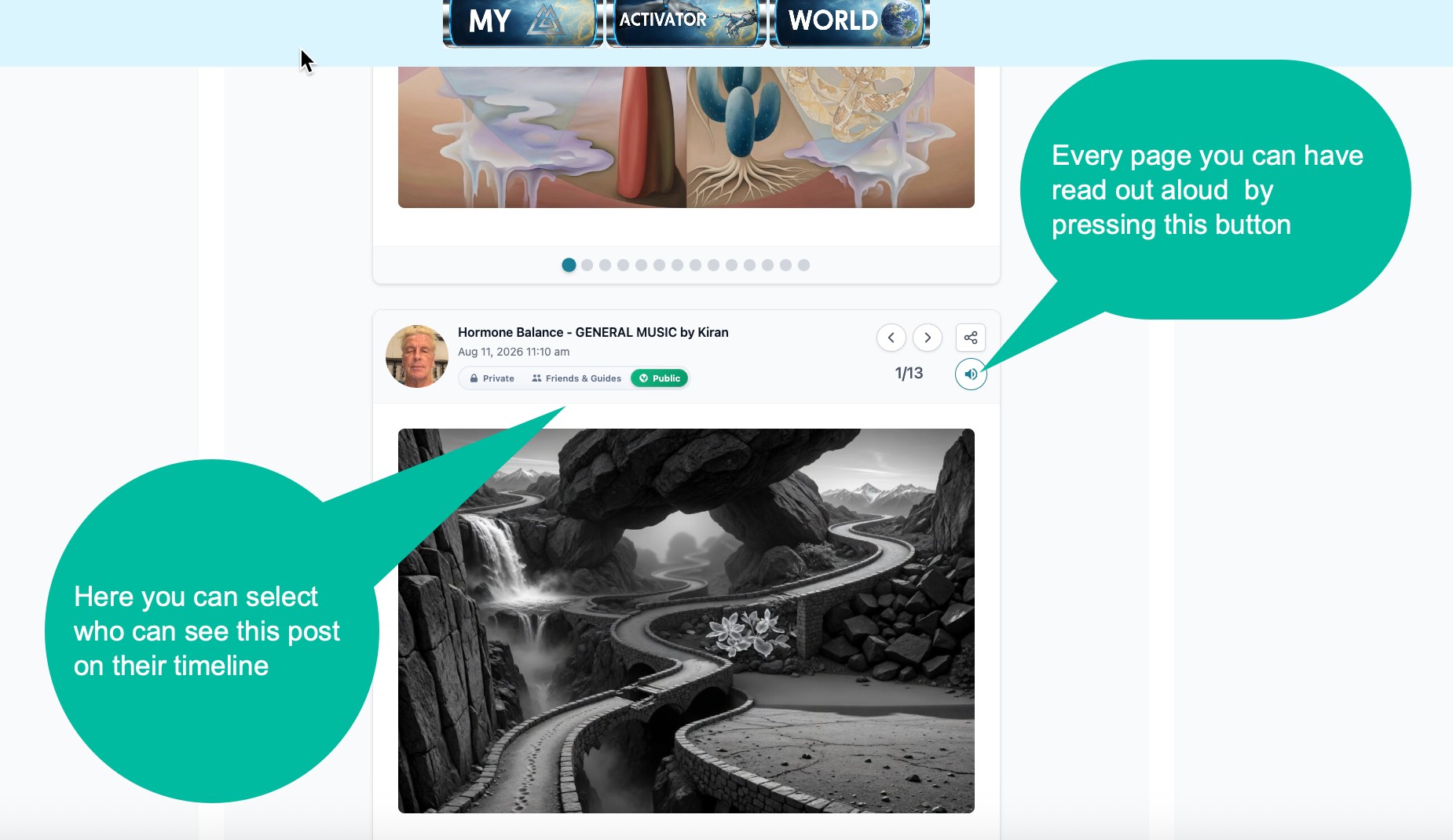
- Here you can select who can see this post on their timeline
- Every page you can have read out aloud by pressing this button
Relationships and visibility. Friends can be invited as mutual co-creators; Clients establish a guide relationship managed under My Contacts. Timeline controls determine which posts are visible, while individual posts can be set for the intended audience.
Share, Export & Keep Building
The report remains a living post
The finished report can be downloaded, emailed, shared, or placed into personal stationery. A post does not have to be final: additional Activations can continue to be added over time.
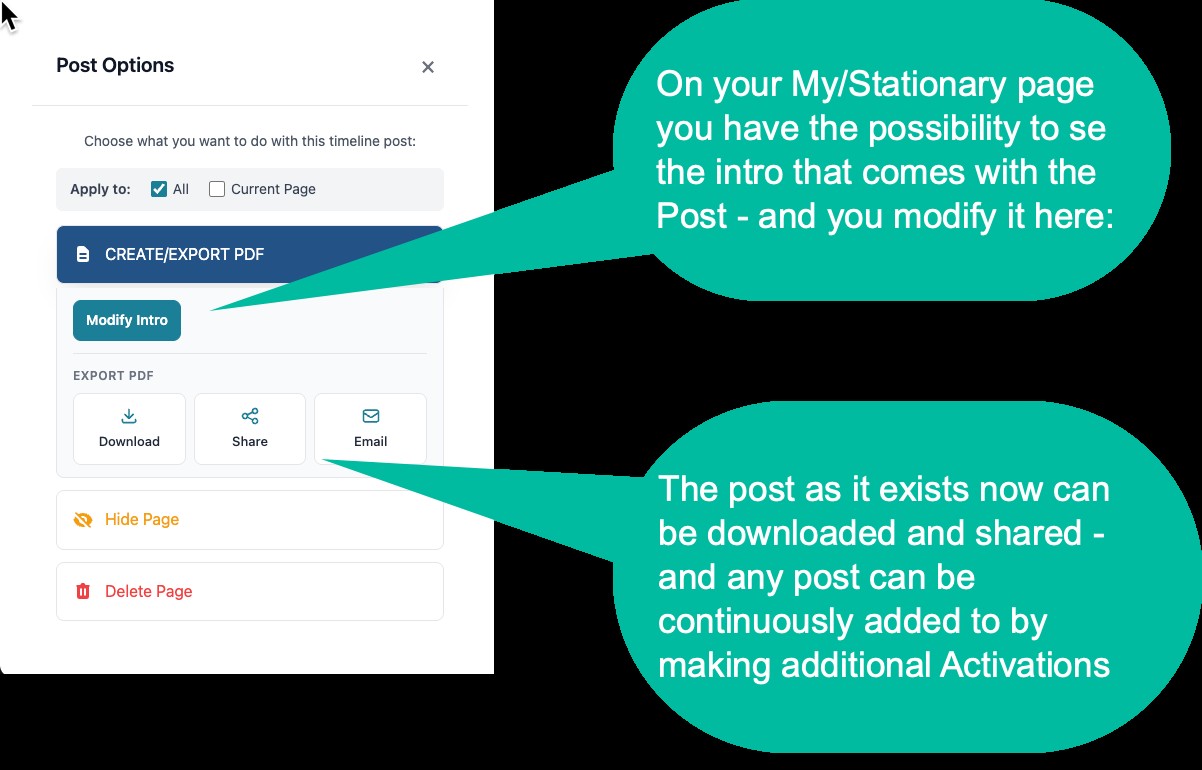
- On your My/Stationary page you have the possibility to see the intro that comes with the Post — and you modify it here
- The post as it exists now can be downloaded and shared — and any post can be continuously added to by making additional Activations
More of the LifeLinks ecosystem
Referrals
Invite new people and receive 20% of their subsequent activation and purchase activity. The same automatic percentage applies to activity generated by your clients.
Why Grok
LifeLinks currently uses Grok exclusively. The guide describes it as especially aligned with the platform's holographic and multi-perspective approach.
Why the name LifeLinks
LifeLinks is built around the idea that health, financial patterns and questions of happiness are downstream of the links we maintain to life itself. The purpose is to make those connections more visible, measurable and revisable.
What is still coming
Deeper simulation capabilities, expanded perspective libraries, richer multimodal generation and evolving internal models of each user are part of the larger vision.